
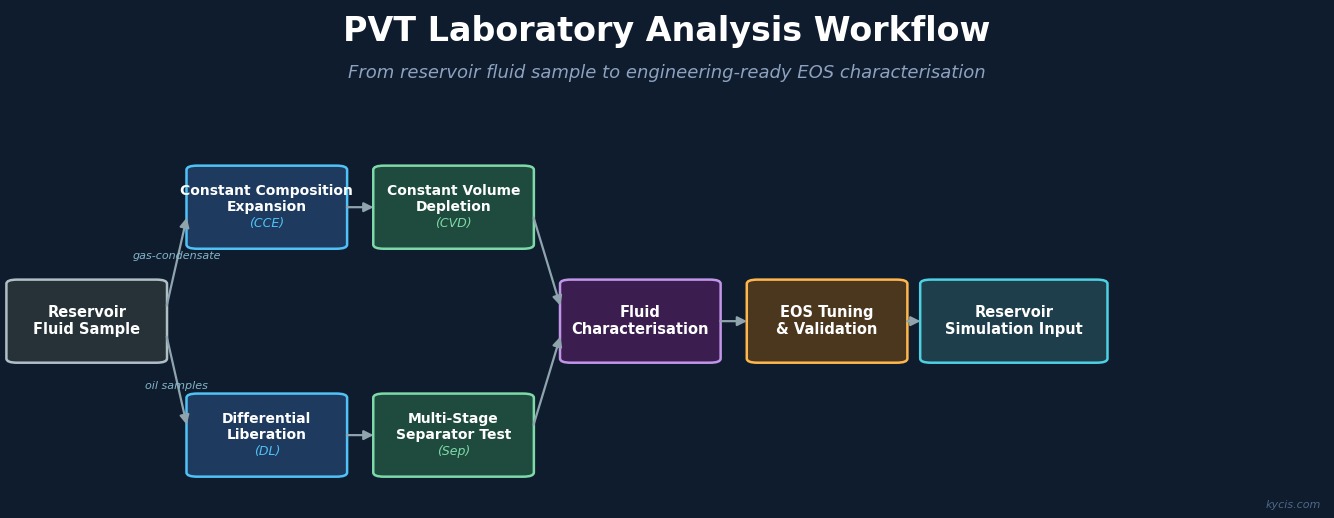
GC composition analysis in a PVT lab isn’t a single step — it’s a chain of decisions and calculations, each of which depends on the quality of what came before. A problem introduced at sample collection propagates through every stage. A misconfiguration in ChemStation silently corrupts every export. A skipped normalization step shifts the entire composition.
Most lab personnel are expert in one or two segments of this chain. Fewer have a complete map of how the pieces connect. This article lays out the full workflow — from wellsite to engineering output — with the decisions that matter at each stage.
Stage 1: Sample Collection
The GC result is only as good as the sample. For wellsite collection of reservoir fluid for PVT analysis, the relevant considerations:
Sample source. Bottomhole samples and separator samples represent different things. A bottomhole recombination sample captured at reservoir conditions gives a single-phase wellstream composition. A separator gas sample requires recombination with separator liquid to reconstruct the wellstream — an additional calculation step with its own error sources. The GC analysis is one input to that recombination, not the final answer.
Container preparation. Sample cylinders should be nitrogen-purged and evacuated before use. Any residual gas from a previous sample or an incomplete purge contaminates the new sample. Check cylinder pressure at pickup — if pressure is above vacuum but below atmospheric, the previous purge cycle was incomplete.
Transfer conditions. Reservoir fluids near their bubble point or dewpoint must be kept above the transfer pressure during sampling and transport. Flashing in the transfer line or cylinder causes compositional fractionation — the lighter components flash off, leaving a heavier, less representative sample in the container.
Field documentation. Record separator conditions (pressure, temperature), GOR at time of sampling, and any unusual conditions. This context is used later to sanity-check the composition — a GC result that’s inconsistent with the separator GOR is a flag, not necessarily an error, but it needs an explanation.
Stage 2: Sample Receipt and Conditioning
When the sample arrives at the lab: verify the sample cylinder is at positive pressure (a sample that arrived at atmospheric pressure has almost certainly been compromised), conduct a visual inspection for phase separation or unusual coloration, condition the sample (roll or rock at controlled temperature to ensure homogeneity), and log all deviations from normal receipt conditions.
This record is part of the data quality chain — an unexplained compositional anomaly 6 months later is much easier to investigate if you know the cylinder arrived at low pressure.
Stage 3: GC Instrument Setup
The Agilent 7890 series GC configuration for PVT reservoir fluid analysis typically uses a dual-detector setup: a TCD (Thermal Conductivity Detector) for permanent gases and light hydrocarbons (N₂, CO₂, H₂S, He, C₁ through C₂ or C₃), and an FID (Flame Ionization Detector) for heavier hydrocarbons (C₂ or C₃ through C₇₊).
The TCD is connected in series before the FID. Because TCD is non-destructive — it measures thermal conductivity changes without consuming the sample — the same column effluent passes through TCD first and then continues to the FID. Both detectors see the same injection.
Carrier gas. Most PVT lab methods use helium. With helium carrier, TCD response is negative for most components (sample thermal conductivity is lower than helium), so ChemStation applies a polarity inversion to report positive peak areas. If your lab switched from helium to nitrogen carrier at some point, verify that the peak area polarity and response factors in your method were updated accordingly.
Detector flows. Per Agilent’s recommended starting conditions for the 7890, typical FID flows are 24–60 mL/min hydrogen and 200–600 mL/min air, with 30 mL/min and 400 mL/min as common starting points. TCD requires a reference gas flow matching the carrier gas type. These flow settings affect detector sensitivity and should match your calibration conditions.
Detector temperature. Both FID and TCD should be set at least 20–30°C above the highest oven temperature used in the run, to prevent condensation in the detector body. The FID will not attempt ignition below 150°C. TCD filament cannot be activated below 150°C.
Stage 4: ChemStation Method Configuration
ChemStation is the data system that controls the 7890 and processes its signals. For composition work, the critical configuration elements are:
Component table. Each expected component must be listed with its retention time window and response factor. Retention times drift with column age, temperature, and flow changes. A component table that hasn’t been verified against a recent calibration standard may be silently mis-assigning components.
Peak integration parameters. Shoulder peaks, baseline noise, and peak asymmetry all affect integrated areas. Integration parameters need to be set appropriately for your column and detector conditions. Too aggressive and you split real peaks; too lenient and you merge co-eluting components.
Report template. The ChemStation report template determines what appears in the CSV export. Amount calculations require the correct response factors and the correct report type (area percent vs. normalized percent vs. external standard). Exporting with the wrong report type gives you numbers that look like mole fractions but aren’t.
ISD configuration. If your method uses an internal standard, the ISD component identity and its expected response value must be correctly entered in the method. See ISD Normalization in Gas Chromatography for details.
Stage 5: ChemStation Export
See How to Export Agilent ChemStation Data for PVT Lab Use for a full walkthrough. The key outputs needed for downstream processing include FID results (component names, peak areas, mole percentages for C₂ or C₃ through C₇₊), TCD results (component names, peak areas, mole percentages for N₂, CO₂, H₂S, He, C₁ through the crossover point), and run metadata (sample ID, run date/time, method name).
The export should include raw peak areas, not just the normalized percentages ChemStation calculates internally. The normalization ChemStation reports is per-detector — it’s not the final wellstream composition. You need the areas to apply cross-calibration scaling correctly in the merge step.
Stage 6: Data Processing
Once the CSV is in hand, the processing sequence is:
- ISD normalization (if applicable): scale raw peak areas on each detector using the measured vs. expected ISD peak area
- Air correction: identify oxygen in the TCD output, calculate the air-derived nitrogen fraction, remove both O₂ and air-N₂ from the composition
- FID/TCD merge: apply cross-calibration scaling, assign each component to its source detector, combine into a single composition table
- Normalize to 100 mol%
- QA checks: verify the composition makes sense against geological expectations and separator data
Steps 1–4 are deterministic calculations — given a defined method, the same input always produces the same output. Step 5 requires engineering judgment. An automated system can flag statistical outliers and component-level range violations, but interpreting whether an anomaly reflects a real fluid change or a measurement problem still requires a person who knows the field.
Stage 7: Output to Engineering Software
The processed composition table needs to reach the downstream application in a format it accepts. Common targets include PVT simulators (PhazeComp, WinProp, CMG WINPROP, Multiflash, Eptomis), separator test recombination calculations, client lab reports, and internal database systems.
Component names must match the simulator’s internal naming convention exactly. “iC4”, “i-C4”, and “iso-Butane” may all refer to the same compound but won’t be recognized as such by a parser expecting a specific format. Consistent field names, units, and decimal precision from the GC processing step ensure that database imports succeed without manual cleanup.
The Compounding Nature of Processing Errors
One reason it matters to get each stage right: the errors compound multiplicatively through normalization. If air correction introduces 1 mol% of spurious nitrogen that isn’t removed, the renormalization step distributes that error across every other component — each one is suppressed by a fraction proportional to its share of the composition. The methane fraction drops, the C₇₊ fraction drops, the CO₂ drops. None of them look individually wrong; the composition still sums to 100%.
The same logic applies to ISD normalization errors, merge crossover errors, and response factor errors. Each one inflates or deflates components uniformly, and the normalization conceals the error while distributing it everywhere. This is why the QA step at the end is not optional — it’s the only check that operates on the final composition as a whole.
Automating the Processing Chain
Stages 1–4 of the data processing step are prime candidates for automation. GC Reader handles all of them: it reads native ChemStation CSV exports, applies ISD normalization, air correction, and FID/TCD merge with configurable method parameters, and outputs the final composition in formats ready for downstream engineering use.
What it doesn’t replace: sample quality and instrument configuration, ChemStation export configuration, and the QA judgment step. These require trained personnel. The automation removes the spreadsheet work between the GC and the engineering software — it doesn’t remove the need for people who understand what they’re measuring.
Also in this series:
- How to Export Agilent ChemStation Data for PVT Lab Use
- FID/TCD Merge in Gas Chromatography: Why Your Composition Numbers Are Wrong
- Air Correction in GC Analysis: How to Handle Atmospheric Contamination
- ISD Normalization in Gas Chromatography: What It Is and Why It Matters
- Automating GC Composition Reports: From ChemStation to Engineering Software
Workflow review: If your lab is moving ChemStation exports through FID/TCD merge, ISD normalization, and GOR recombination by hand, GC Reader can be reviewed against a representative export. See GC Reader or send a sample file.